Is Your AI Personal Assistant Making You Lazy Or Just Productive?
Author:Tooba
Released:November 29, 2025
AI personal assistants now handle tasks from scheduling to writing, automating everyday work for individuals and teams. But with growing reliance comes a question: are these tools genuinely helping, or making users disengaged? The answer depends on which tool you choose, how you use it, and whether it fits your actual workflow. Let’s compare real options.
Best AI Personal Assistants For Scheduling And Time Management
Reclaim.ai
Reclaim integrates directly with Google Calendar to auto-schedule habits, tasks, and meetings. It reprioritizes your day based on workload and changes in real time.
Best for: Professionals who want automatic time blocking
Pricing: Free plan available; paid starts at $10/month
Setup effort: Minimal; works once connected to Google Calendar
Limitation: Not compatible with Outlook or Apple Calendar users
Motion
Motion automatically organizes your tasks into your calendar and adjusts them as priorities shift. It acts more like a full planner than just a reminder tool.
Best for: People who want minimal manual planning
Pricing: $19/month for individual use
Setup effort: Moderate; takes a few days to adjust to automated planning
Limitation: Not ideal for those with static or repeating schedules
AI Assistants For Email, Writing, And Notes
Superhuman
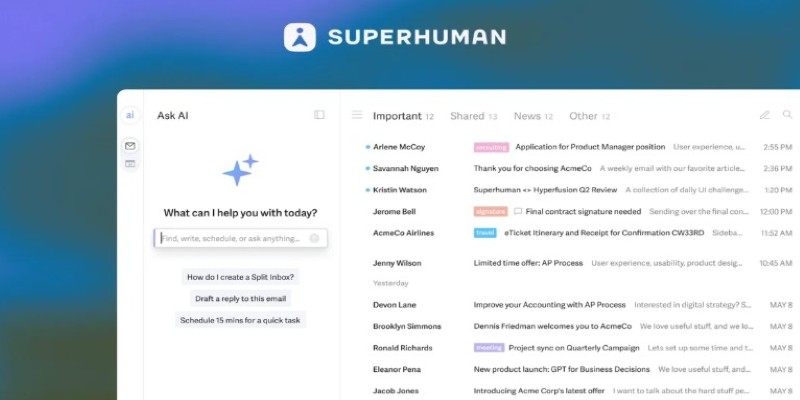
Superhuman is a fast email client with built-in AI features for composing replies, summarizing threads, and identifying priority messages. It’s not just about speed but reducing decision fatigue in your inbox.
Best for: Executives or managers who triage high volumes of email
Pricing: $30/month
Setup effort: Moderate learning curve; heavy keyboard shortcut use
Limitation: Only works with Gmail or Outlook
GrammarlyGO
GrammarlyGO sits inside your writing tools and suggests phrasing, rewrites, or drafts. It complements Grammarly’s grammar checking with generative assistance, helping polish or expand ideas.
Best for: Writers, marketers, or customer service teams
Pricing: Included in Premium; plans from $12/month
Setup effort: Simple browser plugin or app
Limitation: Not a full writing tool, more of an assistant
Notion AI
If your team uses Notion, the AI tool can summarize long documents, extract to-do lists, or rewrite content for clarity. You can use it to clean up meeting notes or write project summaries.
Best for: Internal knowledge management or team documentation
Pricing: AI add-on costs $8/month per user
Setup effort: Low if already using Notion
Limitation: Can’t be used outside the Notion platform
Meeting, Admin, And Support Tools
Freed.ai
Freed records your meetings, transcribes them, and sends out summaries and action items. You can use it across Zoom or Google Meet, and it works in the background with minimal input.
Best for: Managers, consultants, and sales teams
Pricing: Starts at $29/month
Setup effort: Easy; connect the calendar and video platform
Limitation: Summaries may need review for accuracy
Tidio
Tidio is a live chat and chatbot solution with AI features that help automate replies to common customer questions. It helps small businesses manage support with limited staff.
Best for: Small online stores or service providers
Pricing: Free for basic use; AI tools start at $29/month
Setup effort: Moderate; setting up flows takes time
Limitation: Not suited for large-scale customer support operations
ChatGPT Pro (Custom GPTs)
With the Pro version of ChatGPT, users can create assistants that answer FAQs, draft replies, or support internal processes. These assistants are customizable and can be trained to follow brand tone or structure.
Best for: Advanced users, support teams, or creators
Pricing: $20/month
Setup effort: High for custom GPTs; low for general use
Limitation: Requires experimentation to get a reliable output
AI Tools For Coding And Workflow Automation
GitHub Copilot

GitHub Copilot is a developer-focused assistant that generates code inside your editor. It works well for repeated patterns, boilerplate code, and speedily writing simple logic.
Best for: Developers using VS Code or JetBrains tools
Pricing: $10/month for individuals; $19/month for business
Setup effort: Easy install as a plugin
Limitation: Doesn't handle full project architecture or planning
Zapier AI
Zapier’s new AI commands allow users to describe what they want to automate in plain English. The system builds suggested workflows, then you tweak or confirm them.
Best for: Ops teams or solo workers looking to automate recurring tasks
Pricing: Free tier available; AI workflows in plans from $49/month
Setup effort: Medium; still requires app integrations
Limitation: May misinterpret vague commands; better with specifics
Productivity Vs. Passivity
Most tools on this list help you do more in less time. But they work best when used as extensions of your decisions, not substitutes. Having an app write every message or plan every task sounds efficient, but it can slowly reduce the level of engagement and thinking you apply to your work. That’s where the shift from productivity to passivity happens.
Tools like Copilot, Reclaim, or Notion AI give control back to you. They handle what’s repetitive but keep you in charge. Others, like email drafters or scheduling bots, need some oversight to avoid detachment from the work itself.
Choosing Tools That Fit Your Workflow
Here’s a quick way to narrow your choices:
For scheduling: Motion if you want fully automated task prioritization, Reclaim for calendar-aware routines.
For writing: GrammarlyGO if you need quick improvements, Notion AI for summaries and rewrites, ChatGPT for longer drafts.
For support: Tidio for automated customer replies, Freed for meeting follow-ups.
For coding: GitHub Copilot handles the small stuff, speeding up daily development.
For automation: Zapier AI builds basic workflows fast—if you can describe what you want clearly.
Don’t try them all at once. Pick the tool closest to a friction point in your workflow. Most offer free tiers or trials that let you evaluate without committing.
Connected to Your Own Output
AI personal assistants aren’t making people lazy. They’re changing the shape of work. Used well, they remove friction and free up time for deeper tasks. Used poorly, they create a false sense of progress while distancing you from your decisions. The difference is in how they’re integrated. Choose tools that solve real bottlenecks, not ones that simply promise less effort. Productivity isn’t just about speed. It’s about staying connected to your own output.